ENTERPRISE SAAS • DESIGN SYSTEMS LEAD

Building a Design System from Zero — B2B AI Platform

Role
Sole Designer (2026)
Groundwork with Charles Meng (2025)
Timeline
July 2025 - August 2026
Platforms
B2B SaaS Platform
Key Focus
Design Systems, Design Ops
⚡ Executive Summary & Impact at a Glance
5d → <1d
~5x faster design-to-ship turnaround
66+ Components
Across 8 UI families (actively expanding)
Multi-Tier Tokens
Primitive → Semantic architecture
AI DesignOps
Claude Design + Claude Code pipeline
  • The Challenge: High-velocity AI startup shipping without a shared design system, resulting in fractured UI across several products and a minimum 5-day design-to-ship bottleneck per feature.
  • The Solution: Architected a zero-to-one, multi-tier token and component system (~66 components across 8 core families) grounded in a strict 90% neutral / 10% semantic color framework.
  • The AI-Ops Pipeline: Loaded design tokens into Claude Design for instant prototyping and handed them directly to engineering via Claude Code, turning Figma tokens into production code.
  • The Outcome: ~5x reduction in turnaround time (5 days → <1 day), eliminating post-launch UI bug loops and establishing a shared source of truth.

The Problem

The startup moves fast — agile, lean team, shipping constantly. As the sole designer, I couldn't be hands-on with every screen, so a lot of implementation for redesigns and new features was handled directly by developers, pulling loosely from a generic Bootstrap kit in the absence of a shared system. That speed came at a cost:

  • Inconsistent buttons, colors, spacing, and type across pages and products
  • No shared source of truth between design and dev
  • A slow, manual "fix it after the fact" loop: dev ships → I redesign → hand back → back-and-forth → ship again

One feature redesign took a minimum of one full work week. For a startup running regular investor and customer meetings, that pace wasn't sustainable.
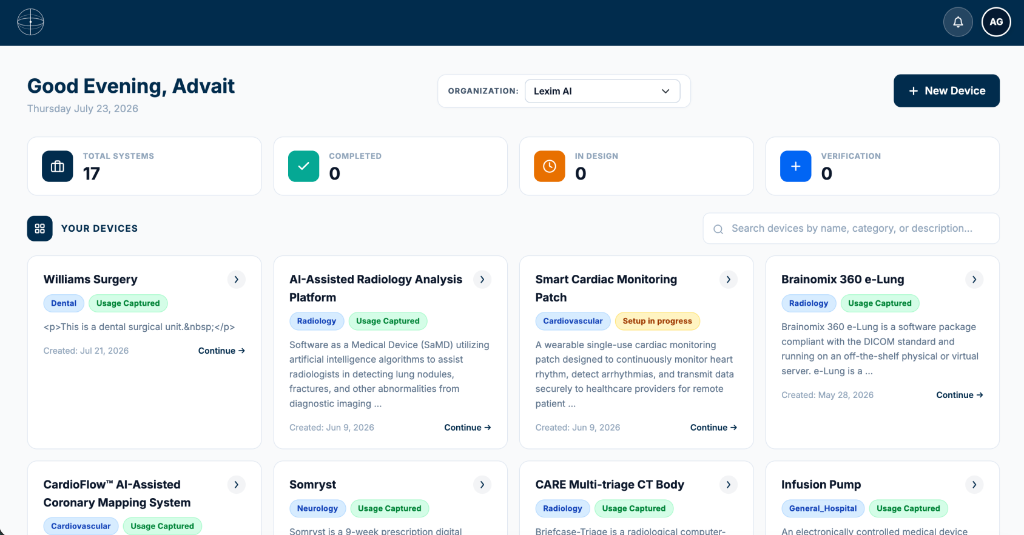
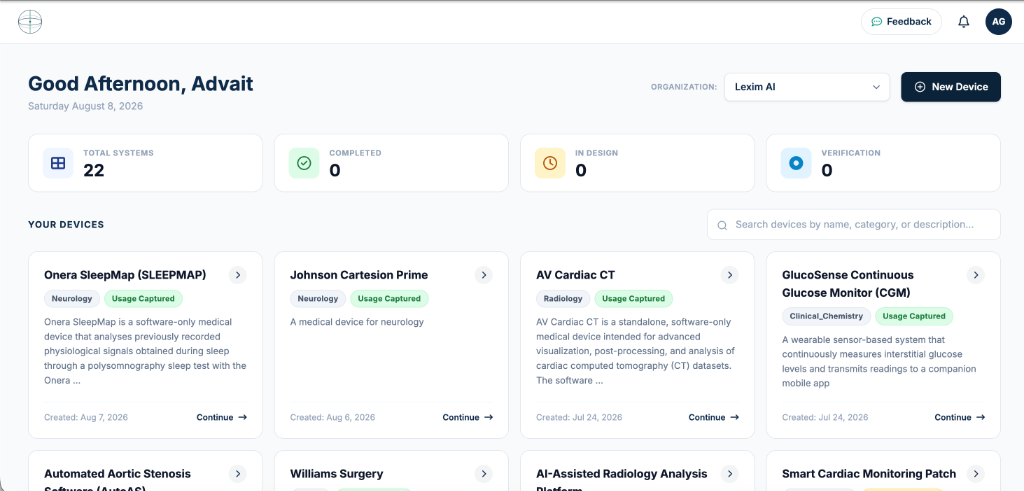
BEFORE Dashboard Product A

Product A

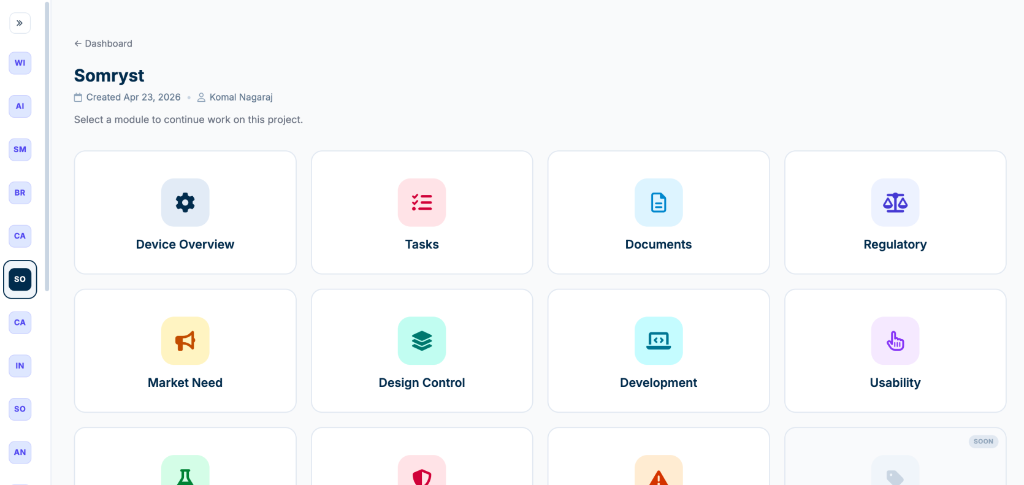
BEFORE Dashboard Product B

Product B

TWO DIFFERENT PRODUCTS, TWO DIFFERENT DESIGN LANGUAGES — ZERO SHARED TOKENS
System Architecture & Process

1. Audit first. I started by mapping the existing UI debt — cataloging disjointed Bootstrap patterns, keeping what worked, and flagging what didn't rather than rebuilding from scratch for its own sake.

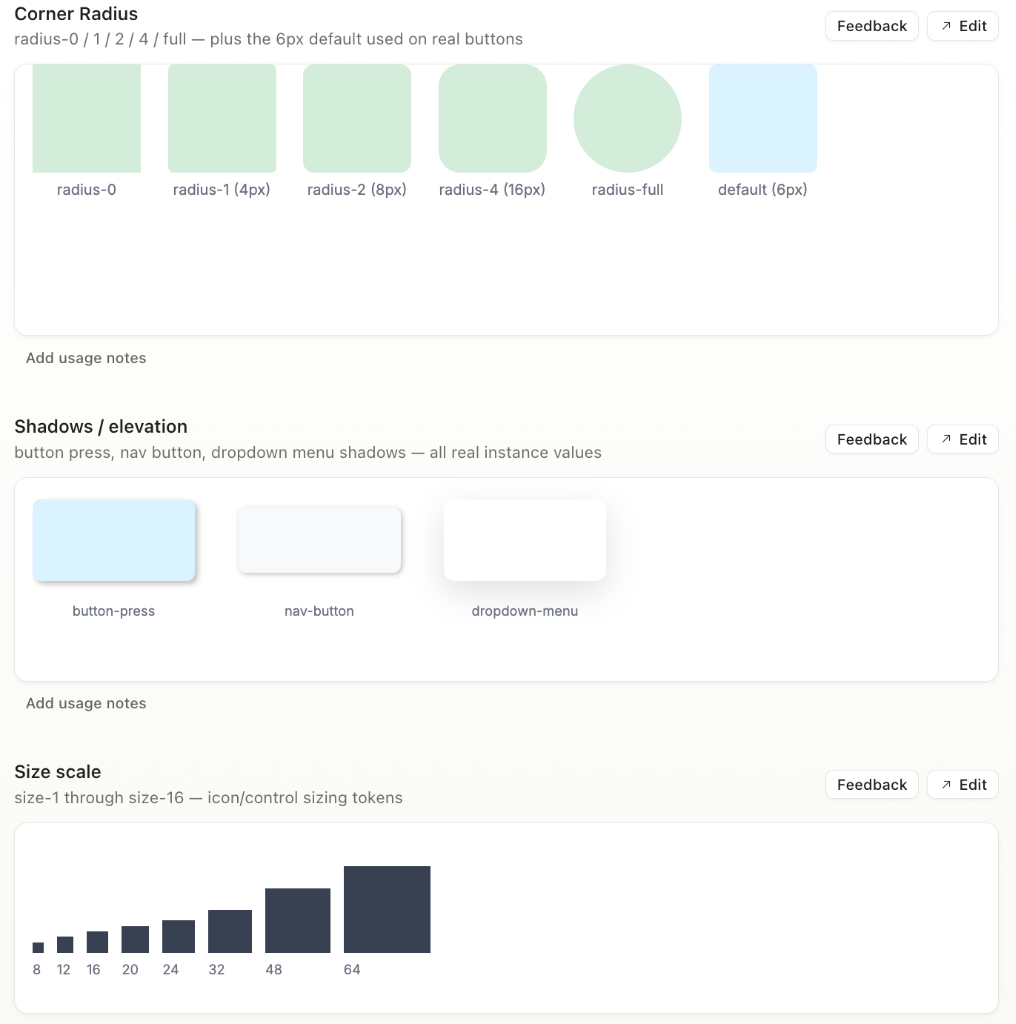
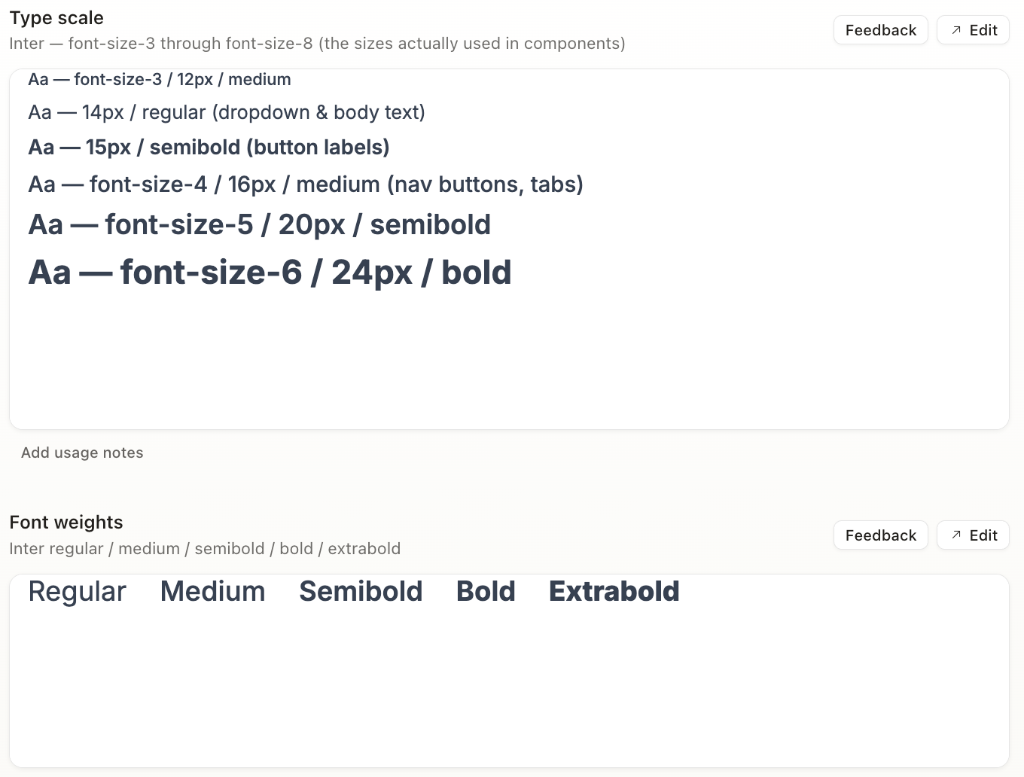
2. Multi-tier tokens before components. Rather than hardcoding flat hex values, I structured a scalable multi-tier naming hierarchy across color, typography, corner radii, and spacing:

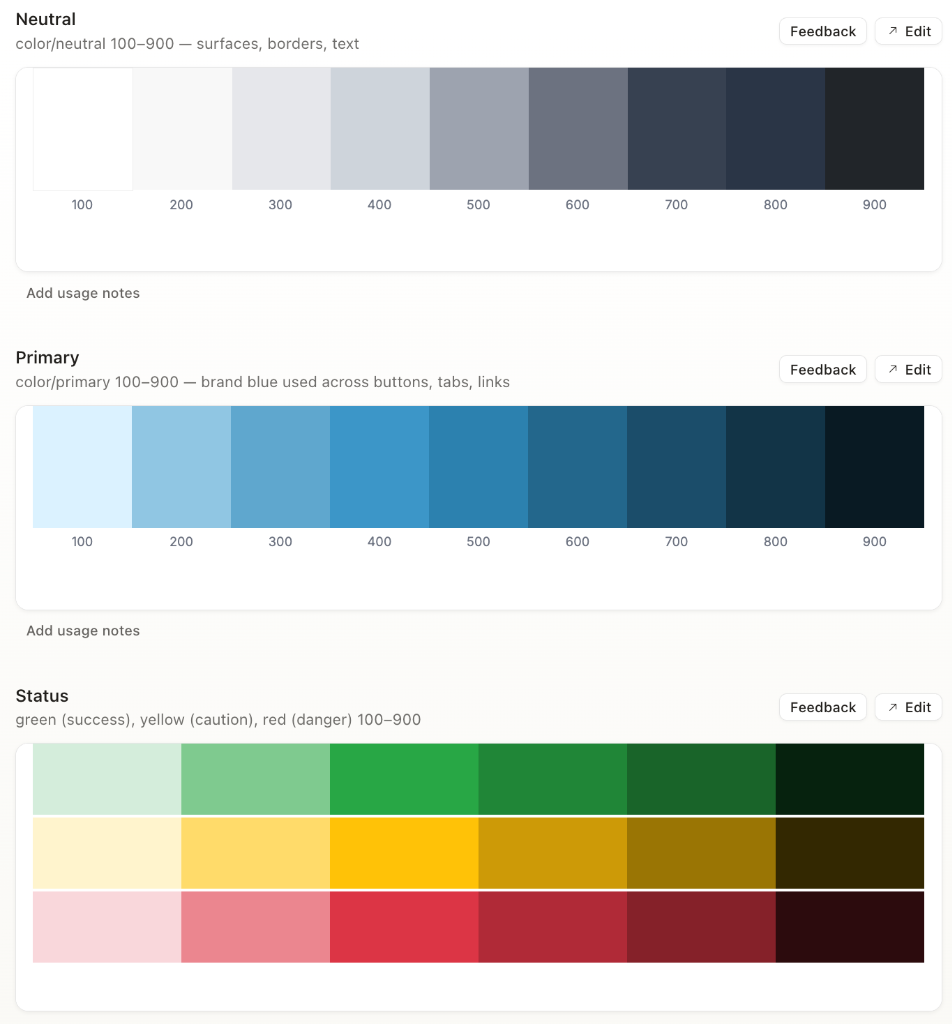
  • Primitive Scale: Raw foundational values (e.g., --color-primary-100–900, --color-neutral-100–900, plus semantic ramps for red/green/yellow/purple).
  • Semantic / Alias Tokens: Purpose-bound tokens mapping intent to primitives (e.g., --surface-background: var(--color-neutral-200), --text-heading: var(--color-neutral-700), --link-color: var(--color-primary-500)).
  • Cross-Discipline Alignment: Mirrored the exact same primitive-to-semantic structure across radius, spacing, and typography token files.

3. Standardizing 66+ components across 8 UI families. Scaled the token foundation into an active component ecosystem covering Buttons, Forms, Data Display, Cards, Navigation, Feedback, Layout/Panels, and Iconography.

4. Design system into production via AI DesignOps. Once the system was defined in Figma, I ingested the token specifications into Claude Design for rapid prototyping and provided the schema to engineering via Claude Code. This eliminated guesswork and allowed developers to build on-system directly in production.

Color System
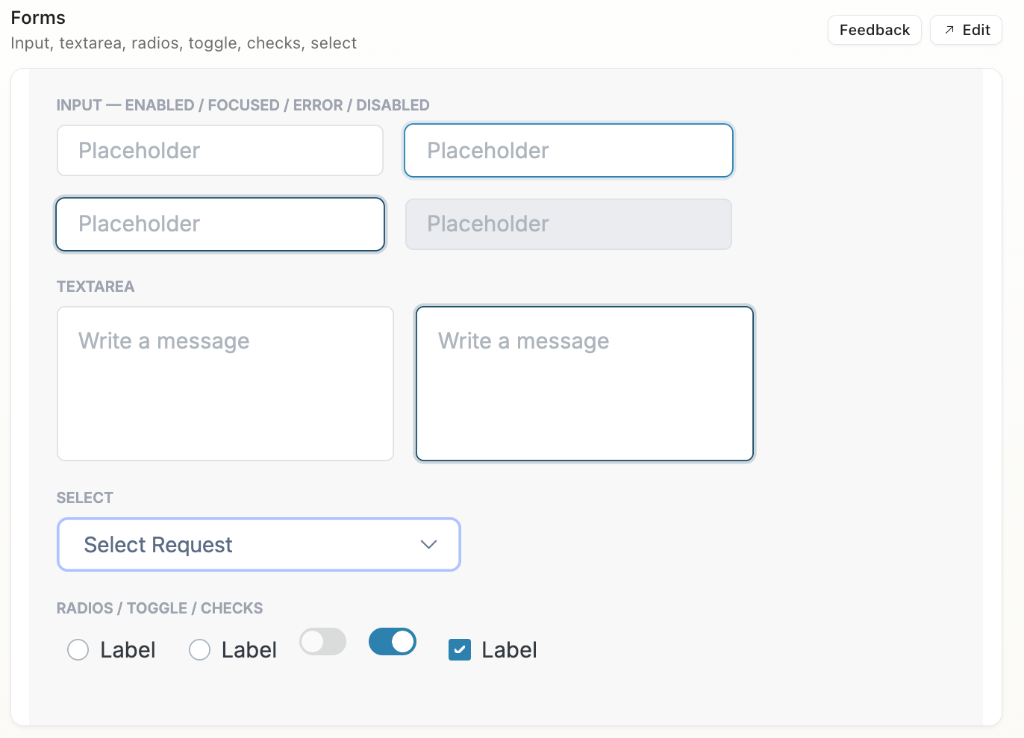
Forms Design Components
Layout Corner Radius Tokens
Typography Tokens
Buttons & Actions (Primary, Group, Icon) Forms & Inputs (Inputs, Toggles, Radios, Checks) Data Display (Tabs, Dropdowns, ListItems) Cards & Containers (Bordered, ProductCodeCard) Navigation (Navbar, SidebarNav, Breadcrumbs, Pagination) Feedback & Status (Alerts, Badges, Spinners) Layout & Panels Iconography (16px / 24px)

The Decision: Making the Case for Restraint

Early on, there was a genuine design debate about how much color the product should use. My CEO was drawn to a bolder, color-forward direction. I advocated for the opposite: a 90% neutral, 10% primary/secondary/semantic system.

The reasoning: if color is used for everything, it stops meaning anything. Reserved for state, action, and alerts, color actually communicates something to the user — and gives the product the mature, trustworthy feel expected of a B2B regulatory platform.

Making that case meant backing the recommendation with reasoning a design system needs to hold up under real use, not just aesthetic preference — and it's the decision I'd point to as the clearest example of systems-level thinking in this project.

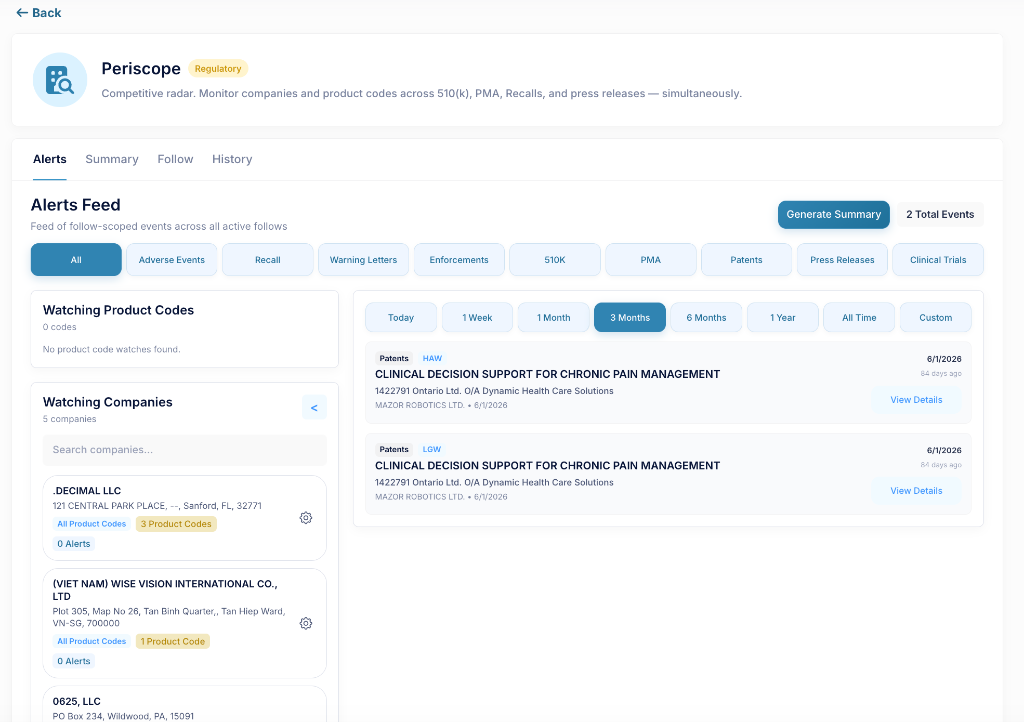
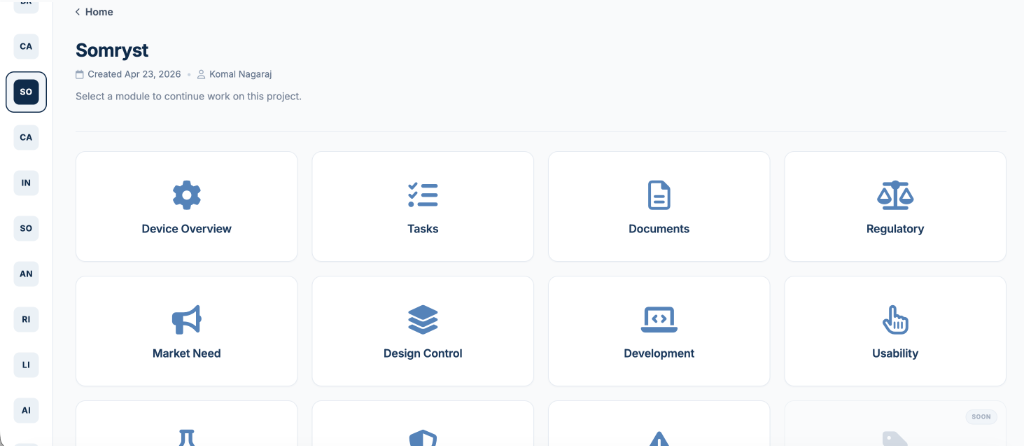
BEFORE Dashboard View

BEFORE

AFTER Dashboard View

AFTER

BEFORE Product Home View

BEFORE

AFTER Product Home View

AFTER

The Outcome

  • ~5x increase in design-to-ship efficiency — redesign turnaround dropped from a full work week to under a day.
  • Many redesigns became unnecessary entirely — screens now ship correctly the first time because dev builds directly from the system.
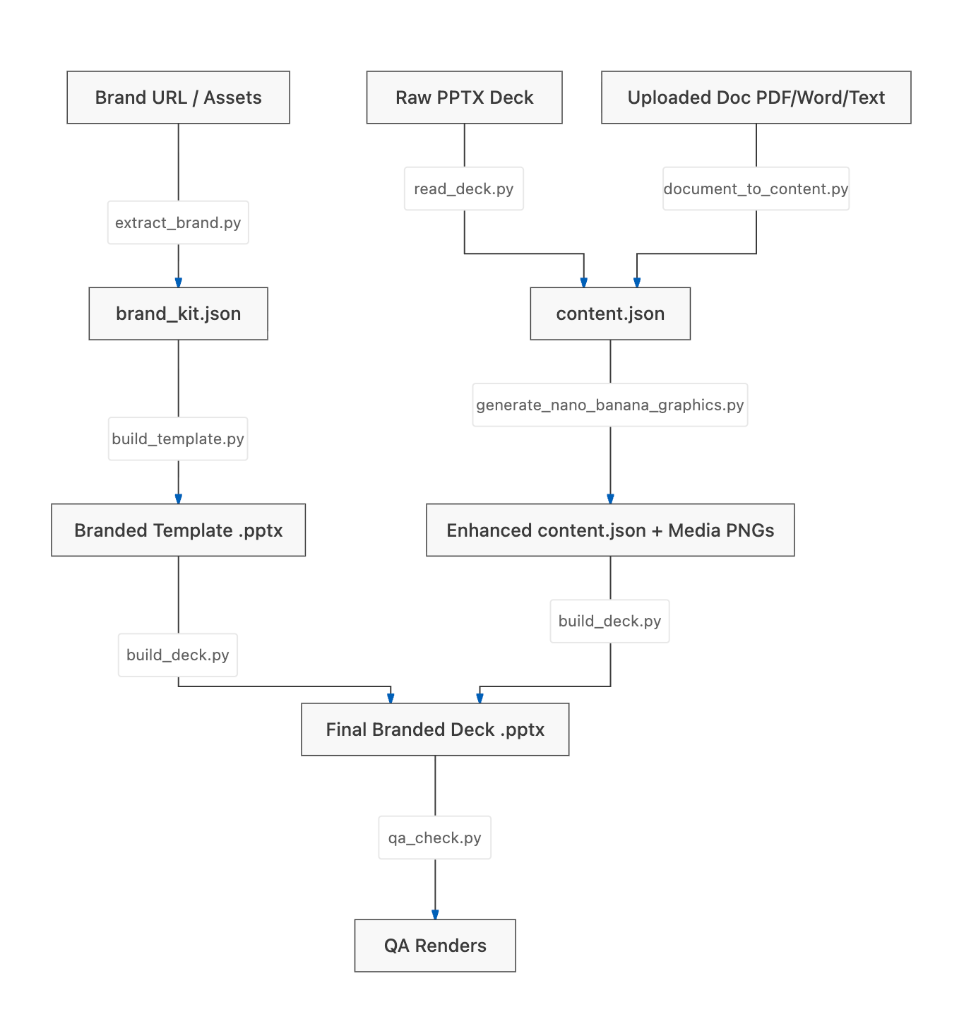
  • The old loop (dev pushes → I fix → hand back → repeat) was replaced by dev building on-system from the start.
Old vs New Design System Shipping Process Flow Diagram

Why It Matters

As the sole designer on a team of engineers, I was in a unique position: the one person whose day-to-day was to think about consistency, hierarchy, and how color and structure communicate meaning to a user. That perspective isn't something a team naturally arrives at without someone advocating for it. No one had asked me to build a system; I saw where the product was headed and made the case for it myself.

Driving that from idea to something the whole team could build from took judgment, clear reasoning, and follow-through, translating a point of view into a system, then making sure it outlived me by putting it directly into the tools the team already used.